Delete a Student from an Existing Assignment
A step-by-step guide for how to delete a student from an assignment.
Written By Jessaca Smith
Last updated About 2 months ago
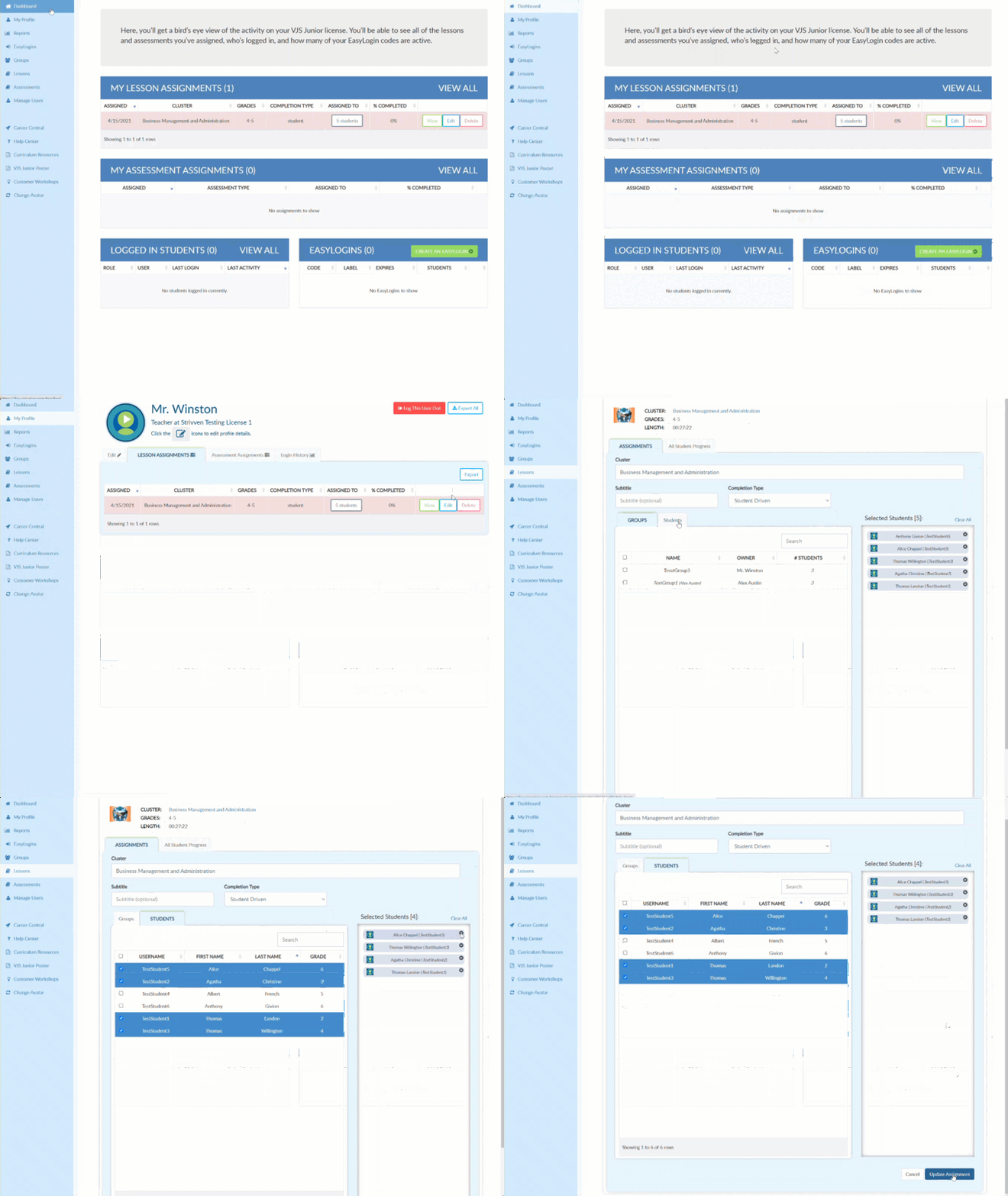
Select Dashboard in the upper left corner.
MY LESSON ASSIGNMENTS will be displayed in the center of the screen.
Select VIEW ALL on the right of the screen.
Select Edit to the right of the assignment from which you wish to delete a student.
Select the STUDENTS tab.
Under Selected Students, click the "X" next to the name of the student you wish to remove from the assignment.
Select Update Assignment to save.
Video Tutorial