Using the Career Journal
Written By Chelsie
Last updated About 2 months ago
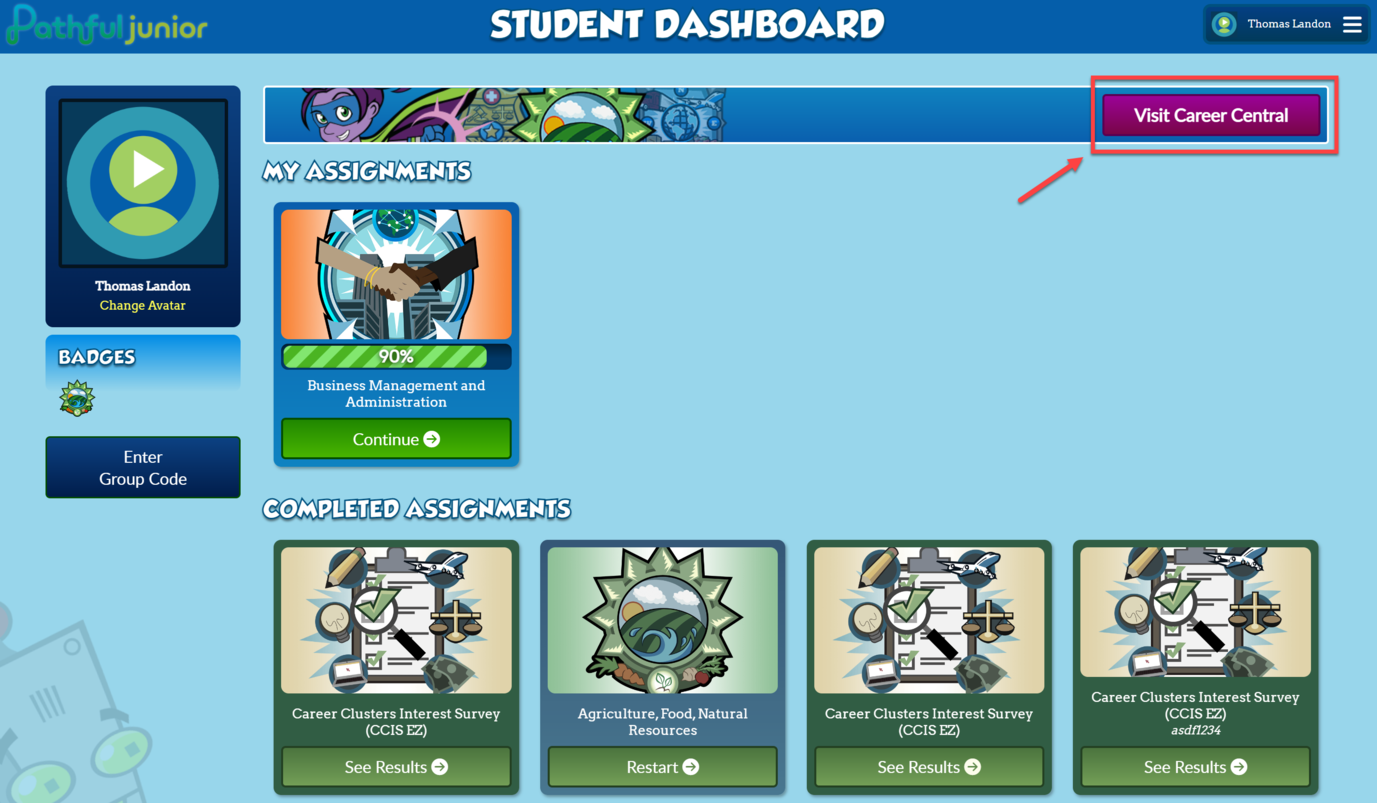
Select Visit Career Central on the Student Dashboard.
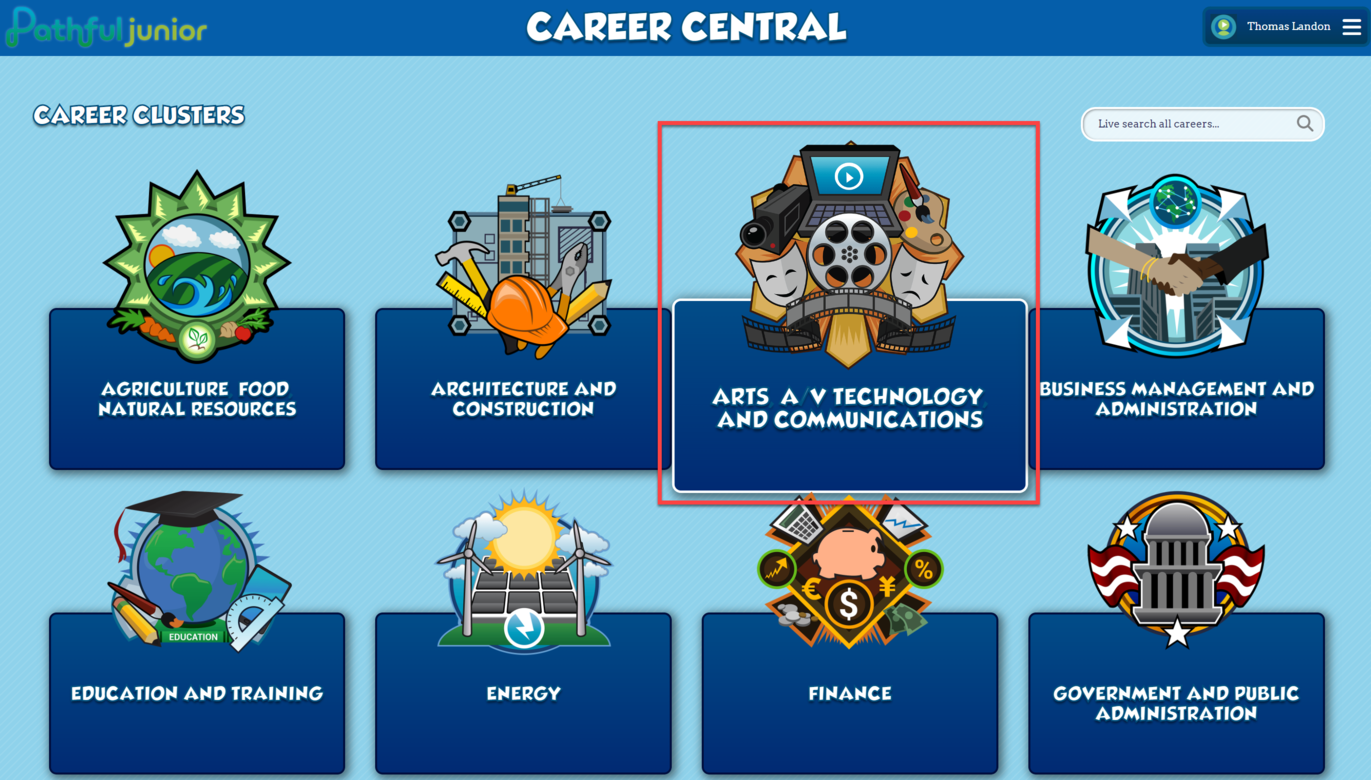
Select the Career Cluster card of your choice.
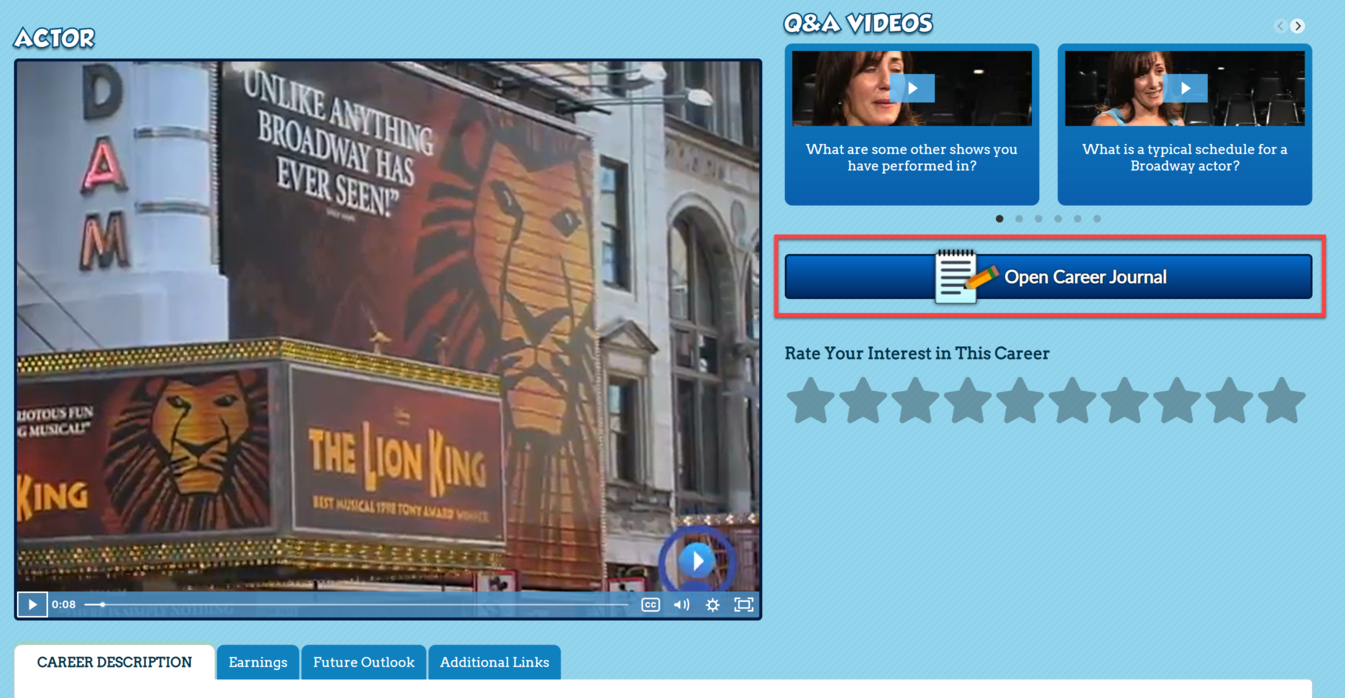
Select View Career on the career card of your choice.

Select Open Career Journal.
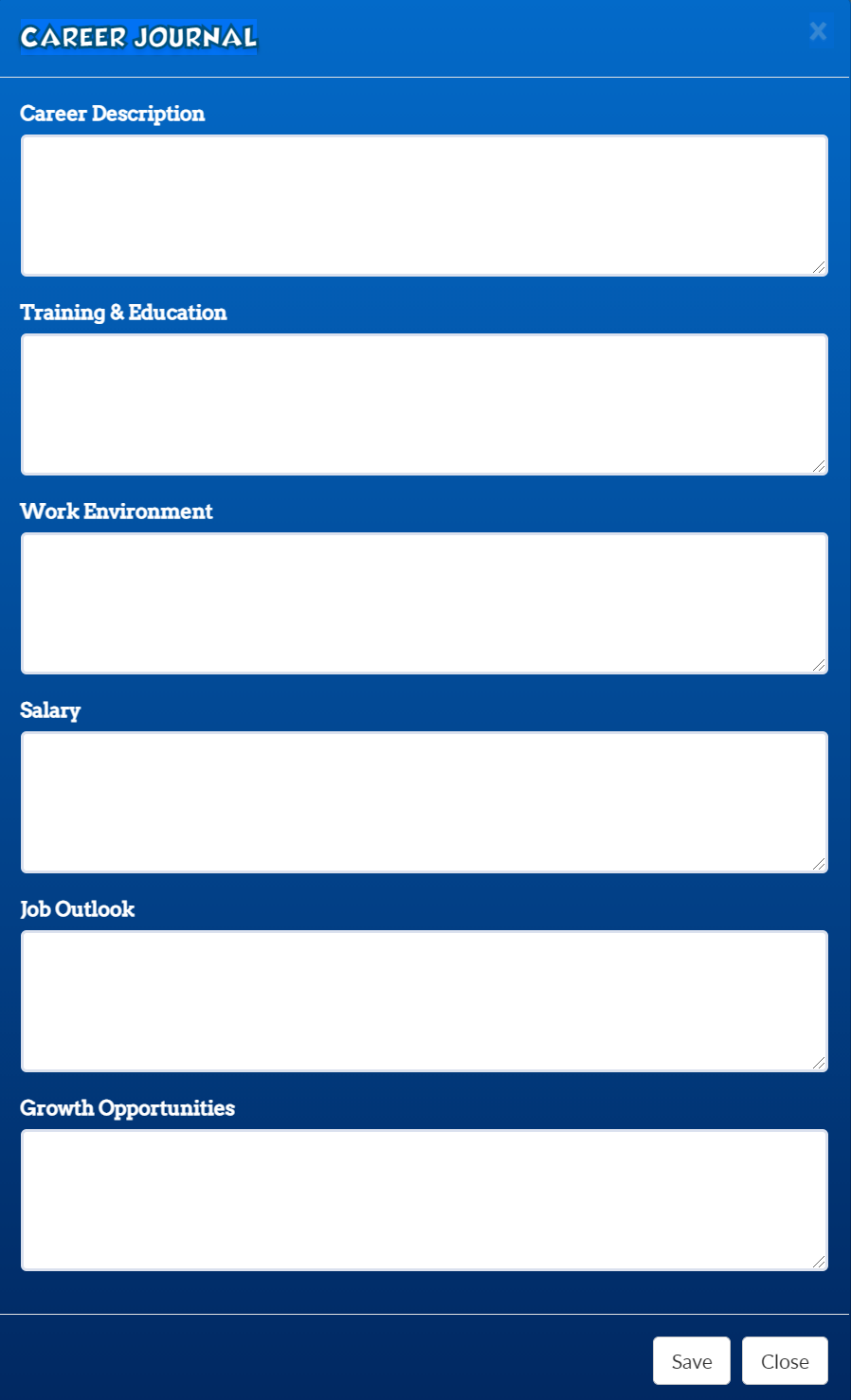
You can enter as much information as you choose into the Career Journal.
The journal entry will autosave as you type.
You do not have to complete all fields.
Select Save when you are done and Close to exit the Career Journal.